

Imagine your AI agent writing malicious configurations to ~/.ssh/config and redirecting SSH traffic to a malicious server. chmod does not help control access because the agent runs on your behalf.
AgentFS, a filesystem for AI agent sandboxing built by Turso, takes a different approach. Instead of decorating files with permission metadata, AgentFS pushes the access boundary to the kernel’s process isolation primitives: namespaces on Linux, sandbox-exec profiles on macOS.
Linux - Namespace Isolation
Key Concepts:
Mount table: A kernel data structure that maps directory paths to filesystems (the storage backends, like ext4, tmpfs, or in this case AgentFS, that handle how data is actually stored and retrieved). It determines which filesystem serves each path when a process accesses it.
Inode: A per-file data structure that stores metadata - permissions, ownership, timestamps, and size. It holds everything about a file except its name and content.
Unix permissions (chmod): Work by setting mode bits on inodes. The kernel checks these bits against the calling process’s UID/GID on each access.
unshare: A Linux system call that creates new namespaces for the calling process, isolating it from the parent’s view of system resources like mount points, PIDs, and network.
AgentFS controls access at the mount table level (which filesystem is visible and whether it’s read-only), not at the inode level (who has permission bits on individual files).
The Linux sandbox starts by forking a child process and immediately isolating it with unshare. unshare lets AgentFS give each sandboxed process its own private filesystem layout without affecting the host.
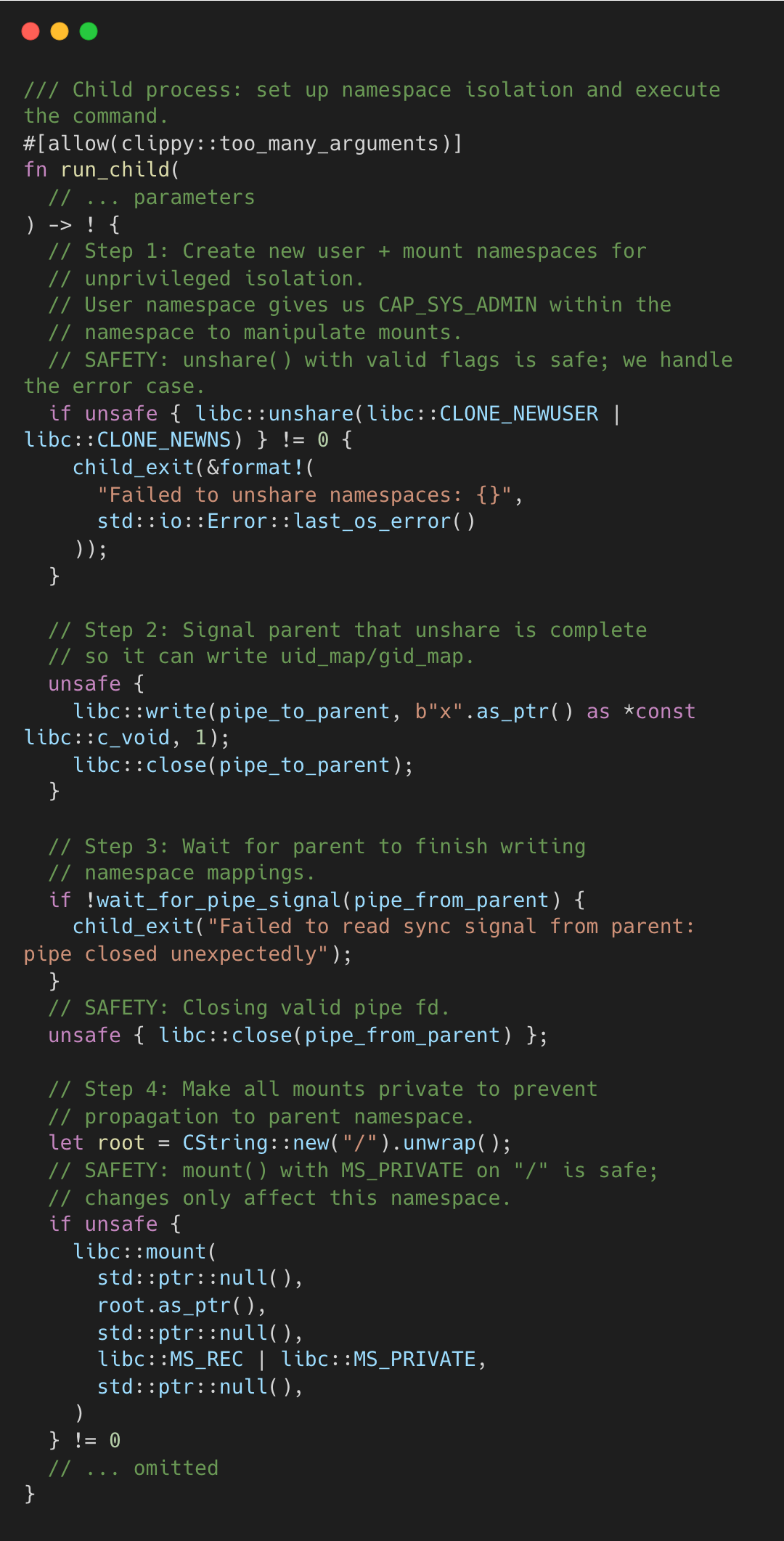
CLONE_NEWUSER creates a new user namespace where the child has CAP_SYS_ADMIN, the capability needed to manipulate mounts and control which filesystems are visible and writable to the process, without being root on the host. CLONE_NEWNS gives it a private mount table.
After the child signals the parent (via a sync pipe) and the parent writes uid_map/gid_map for the new namespace, the child bind-mounts the FUSE overlay onto the working directory.
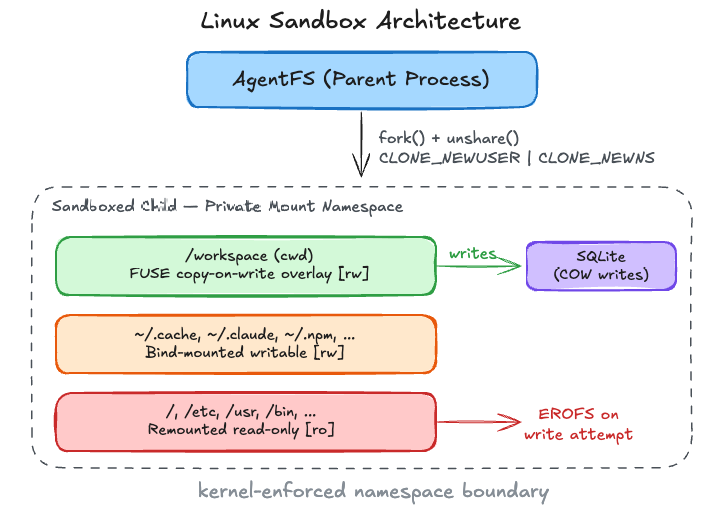
Overlay Mount and Read-Only Enforcement
Key Concepts:
FUSE (Filesystem in Userspace): A kernel interface that lets a userspace process implement a filesystem. When a file operation hits a FUSE mount, the kernel forwards it to the userspace FUSE server rather than handling it with a traditional on-disk filesystem.
Copy-on-Write (COW): A strategy where reads pass through to the original data, but writes are redirected to a separate store (here, SQLite). The original data is never modified. “writes” exist only in the overlay layer.
VFS (Virtual File System): The kernel abstraction layer between system calls (
open,read,write) and concrete filesystems. When a mount is marked read-only at the VFS layer, the kernel rejects writes before they ever reach the underlying filesystem regardless of inode permissions.Bind mount: A kernel operation that makes an existing directory (or file) visible at another location in the filesystem tree, or re-mounts it at the same location to change flags like read-only. Unlike a symlink, it operates at the VFS layer.
Step 1: FUSE Copy-on-Write Overlay
Before the sandbox starts, AgentFS launches a FUSE server that implements a copy-on-write overlay filesystem backed by SQLite. When this FUSE filesystem is bind-mounted onto the working directory (cwd), the kernel redirects all file operations in that directory through the FUSE server. Reads pass through to the original files on disk (via a file descriptor opened before the mount - explained in a later section). Writes are intercepted by the FUSE server and stored in SQLite, never touching the real filesystem.
Step 2: Remount Everything Else Read-Only
With the overlay in place, the sandbox needs to lock down everything else. remount_all_readonly_except marks every other mount as read-only, leaving the FUSE-backed working directory and a small set of explicitly allowed paths as the only writable surfaces. The agent can write files in its workspace, but those writes live only in SQLite. The actual disk is untouched.
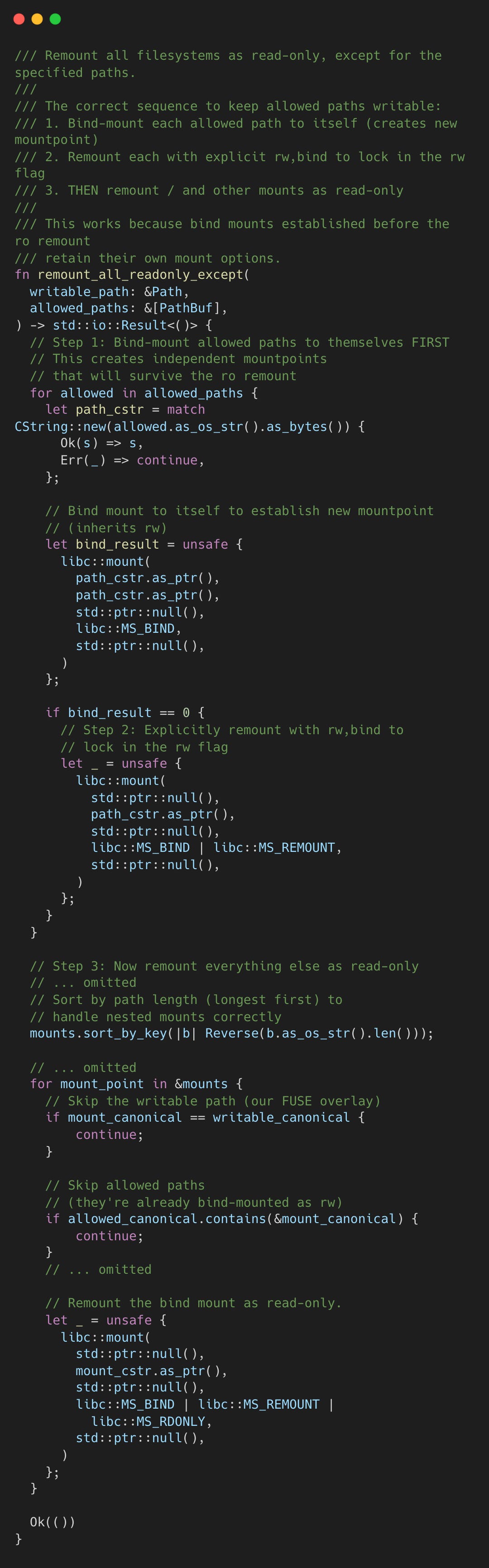
The function parses /proc/self/mountinfo to enumerate all current mounts, sorts them by path length (longest first to handle nested mounts), and remounts each one with MS_BIND | MS_REMOUNT | MS_RDONLY.
The order of mount path enumeration matters. Consider /workspace/src as a writable path within a read-only /workspace. In the correct order, the agent first bind-mounts /workspace/src to itself while /workspace is still rw, so the clone inherits no read-only flags. Then the read-only sweep remounts /workspace with MS_RDONLY. Since /workspace/src is already an independent mountpoint, it’s unaffected. If this order is reversed, once /workspace is remounted ro, any subsequent bind-mount of /workspace/src clones from a read-only source. No MS_REMOUNT with rw can override it from within the user namespace. The operation fails due to the kernel-enforced lock designed to prevent privilege escalation across namespace boundaries.
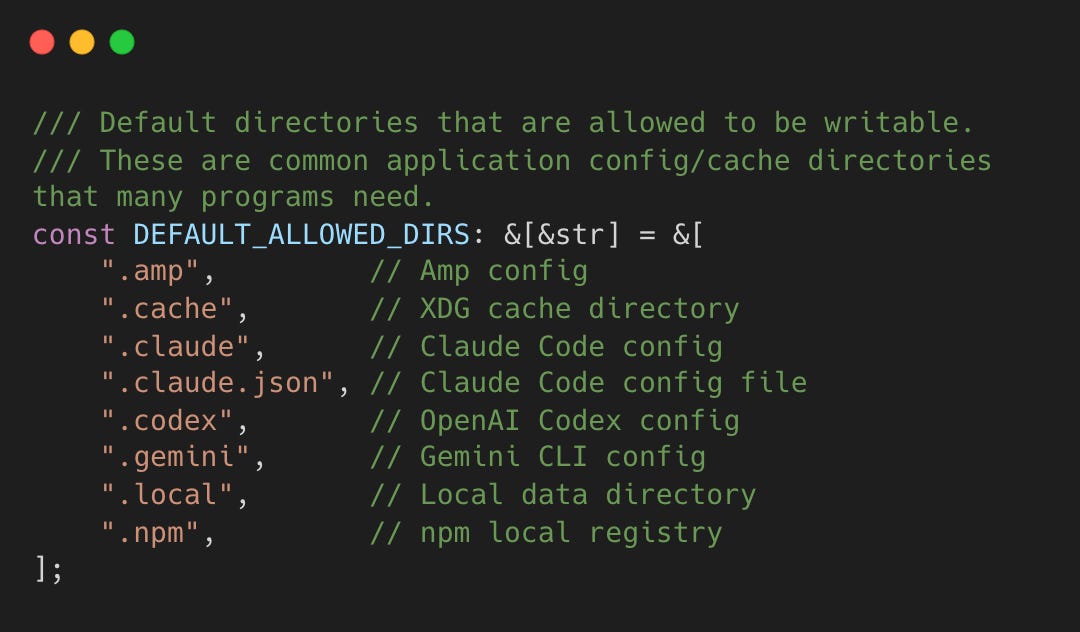
A set of common application directories, like .cache, .claude, .local, and .npm, are included in the writable allowlist by default because many tools break without write access to these config directories.
Note that there is no check of any file’s permission bits. The kernel enforces the read-only remount at the VFS layer. Even root inside the child’s user namespace cannot write to a read-only mount. The boundary isn’t metadata on individual inodes, but the mount table itself. An agent that tries to echo “pwned” >> /etc/passwd gets EROFS (Read-only file system), not EACCES (Permission denied).
macOS - Deny by Default
Key Concepts:
macOS Sandbox: macOS does not support Linux-style namespaces. Instead, it provides
sandbox-exec, a tool that confines a process using a Sandbox Profile written in SBPL (Sandbox Profile Language).Sandbox Profile (SBPL): The profile specifies a deny-by-default policy and then allowlists specific operations. The kernel enforces these rules, so a sandboxed process cannot escape with
chmod.NFS (Network File System): Since macOS lacks native FUSE support in recent versions, AgentFS uses NFS to serve the overlay. The AgentFS NFS server listens on localhost, and the overlay is mounted via NFS.
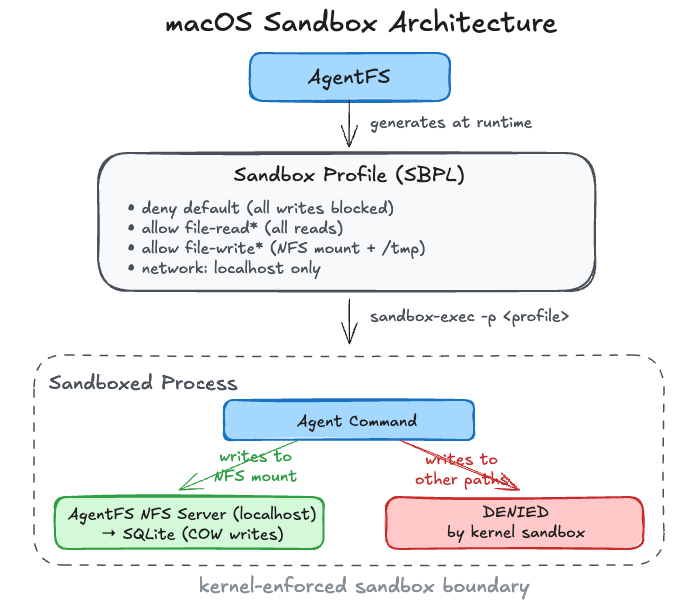
macOS lacks user namespaces and mount namespaces. AgentFS uses sandbox-exec instead, generating a Sandbox profile at runtime.
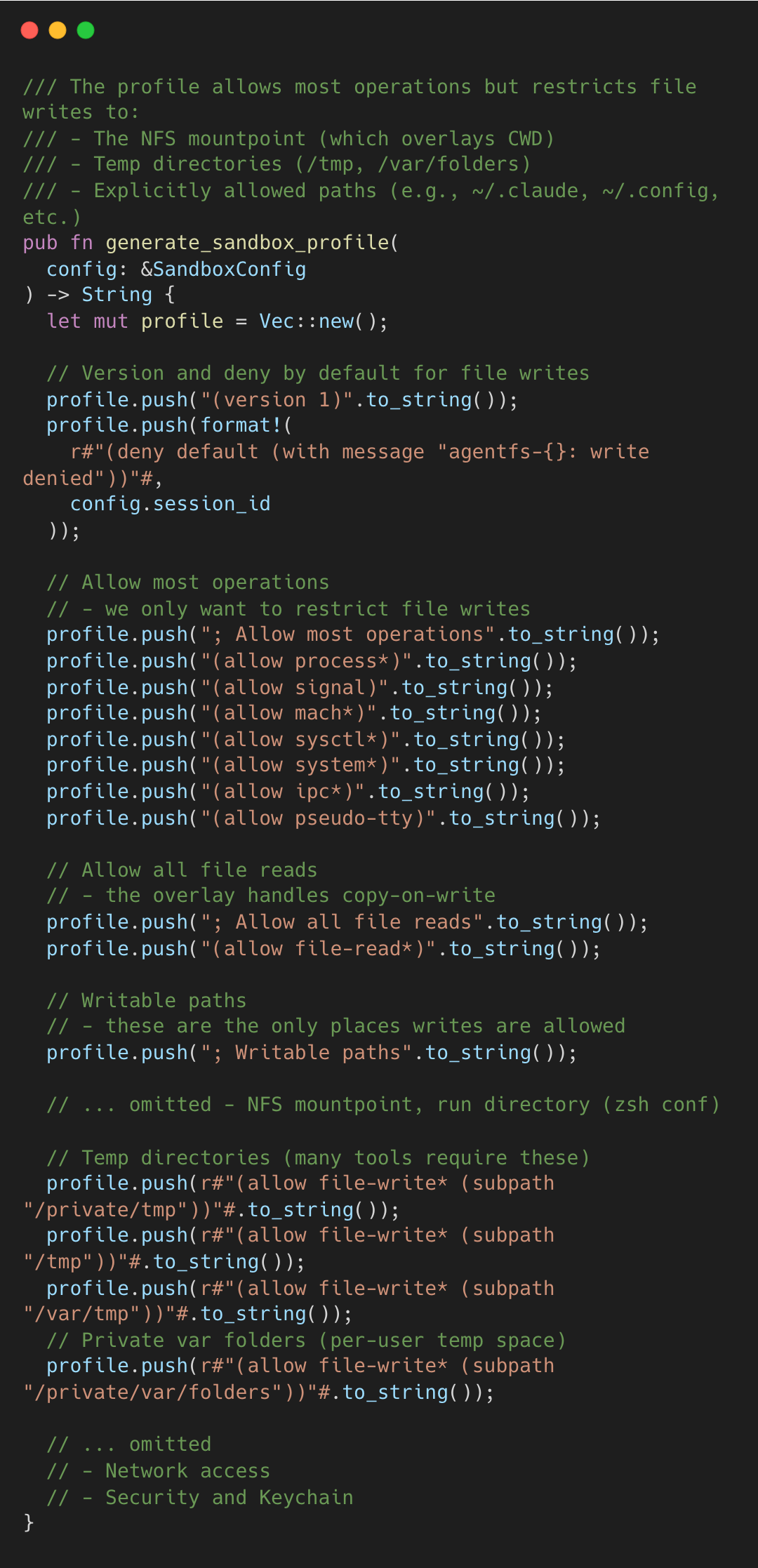
With deny-by-default as base, the profile allowlists reads globally and writes to specific paths. The NFS mountpoint, temp directories (/private/tmp, /tmp, /var/folders), and additional paths passed via --allow get write access. The generated profile is passed to sandbox-exec -p, which wraps the agent’s shell process.
The profile also restricts network access. When allow_network is false, only localhost connections are permitted (necessary for the NFS mount), cutting off the agent from external services unless explicitly allowed.
POSIX Metadata Without POSIX Enforcement
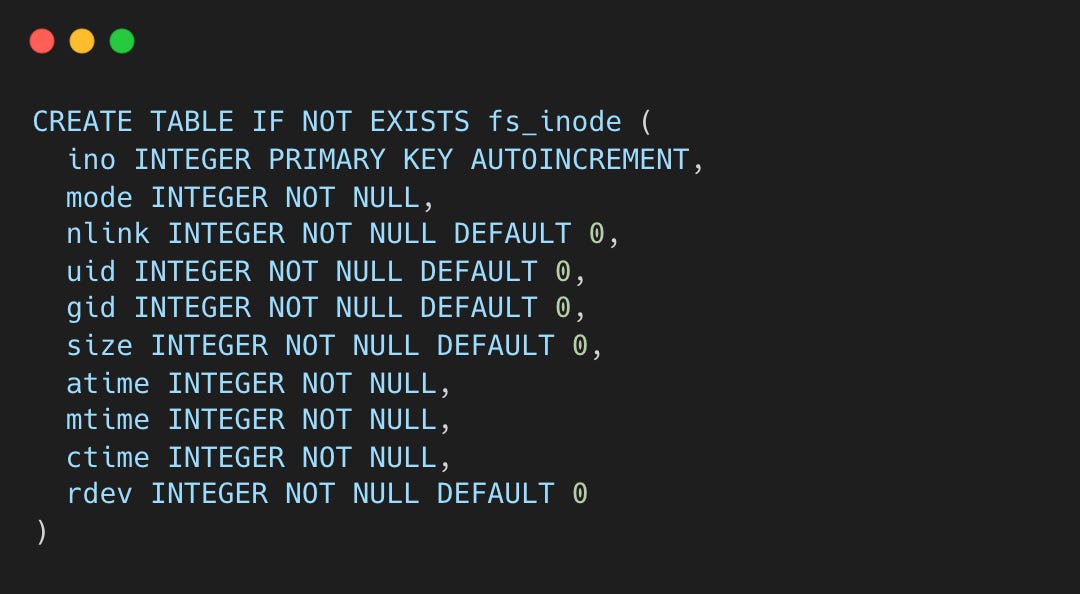
In a POSIX filesystem, uid, gid, and mode bits on each inode form the access control mechanism. The kernel checks these on every open(), read(), and write(). AgentFS stores all metadata in SQLite and then deliberately skips the check. For example, after you run chmod 000 secret.txt inside an AgentFS sandbox, you can still run cat secret.txt without getting an EACCES (permission denied) error.
The inode schema carries the full POSIX permission set.
chmod persists mode changes, preserving file-type bits while replacing permission bits.
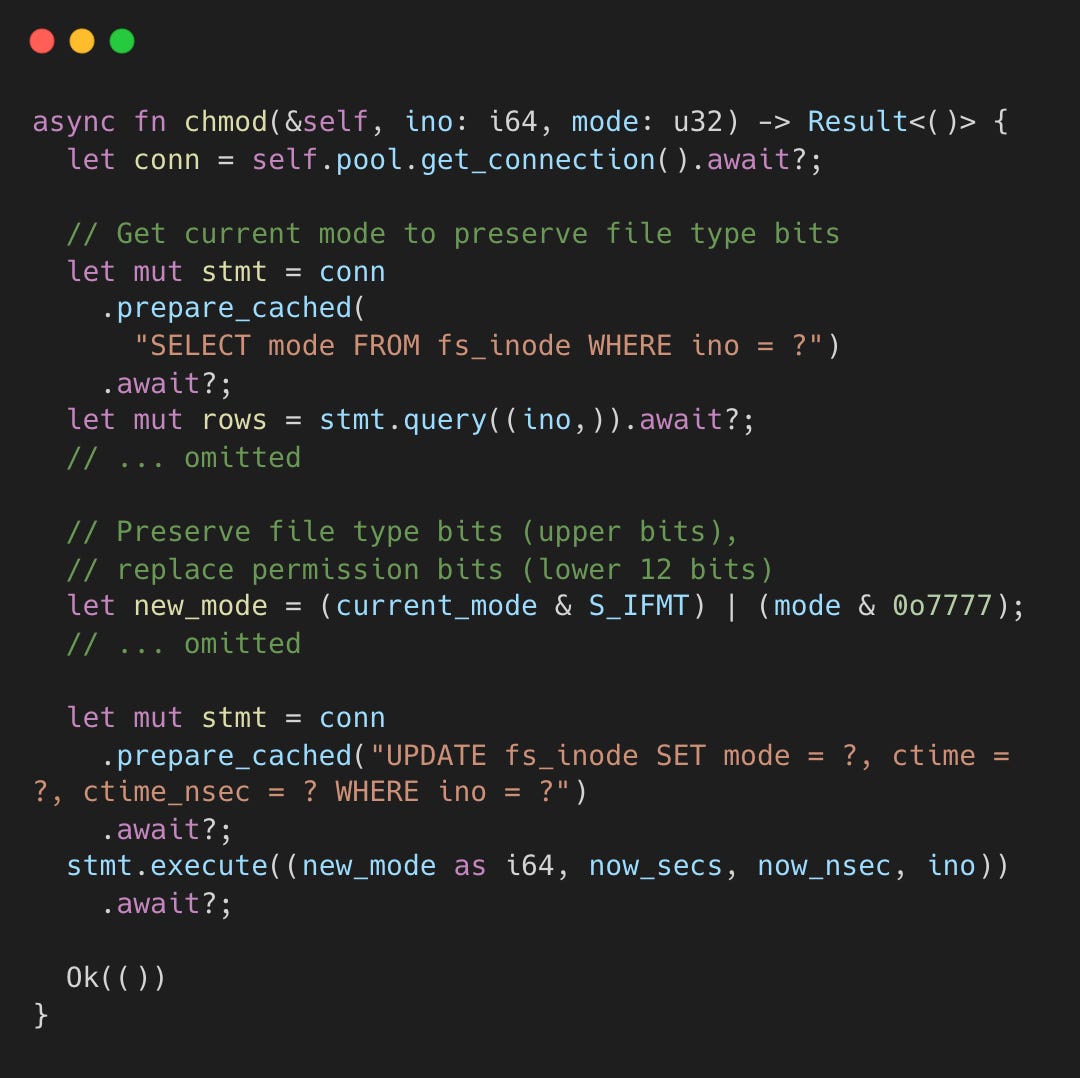
The write goes to SQLite. But there is no corresponding check on open(), read(), or write() that compares the calling process’s UID against the stored uid/gid/mode.
This omission is intentional. The mount table already determines what the agent can and cannot write to. Adding userspace permission checks inside the FUSE server would create a weaker, bypassable layer. The agent runs as the same user as the FUSE process, so it could interfere with the FUSE server itself. Kernel-enforced mount restrictions, by contrast, cannot be circumvented from within the namespace, even with CAP_SYS_ADMIN.
So why store permission metadata? First, POSIX compatibility: tools like ls -l and stat read uid, gid, and mode through getattr. Returning zeros would break programs that expect POSIX-shaped metadata. Second, auditability: since the metadata lives in SQLite, it’s queryable - “show me all files the agent created with world-writable permissions” is a useful forensic query, even though those bits were never enforced at access time.
The filesystem records every chmod and chown but enforces none of it. Metadata is for compatibility and observability; actual security lives in the kernel.
Preventing Circular References in the FUSE Layer
Key concepts:
File descriptor (fd): An integer handle a process holds to an open file, directory, or socket. It refers to the underlying object at the time it was opened.
/proc/self/fd/N: A Linux path that lets a process access whatever object fd N points to, bypassing any mounts placed on the original path after the fd was opened.
The FUSE server needs to read the original files under the working directory to serve them through the overlay. But in the child’s namespace, the FUSE overlay is bind-mounted on top of that same directory. If the FUSE server tried to read from the overlaid path, it would receive its own requests in an infinite loop.
The solution is a file descriptor opened before the FUSE mount.
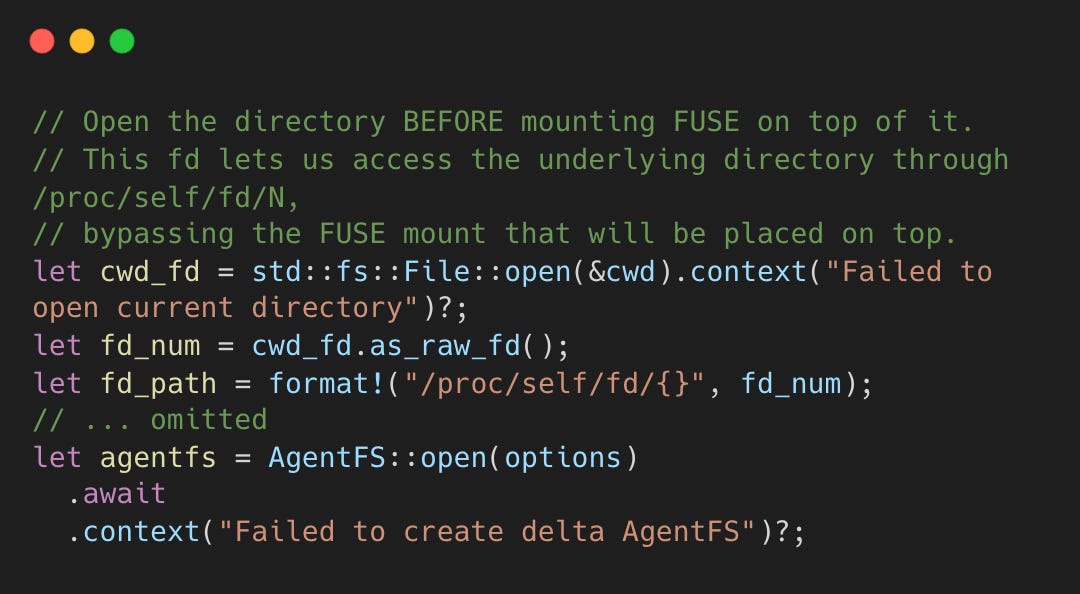
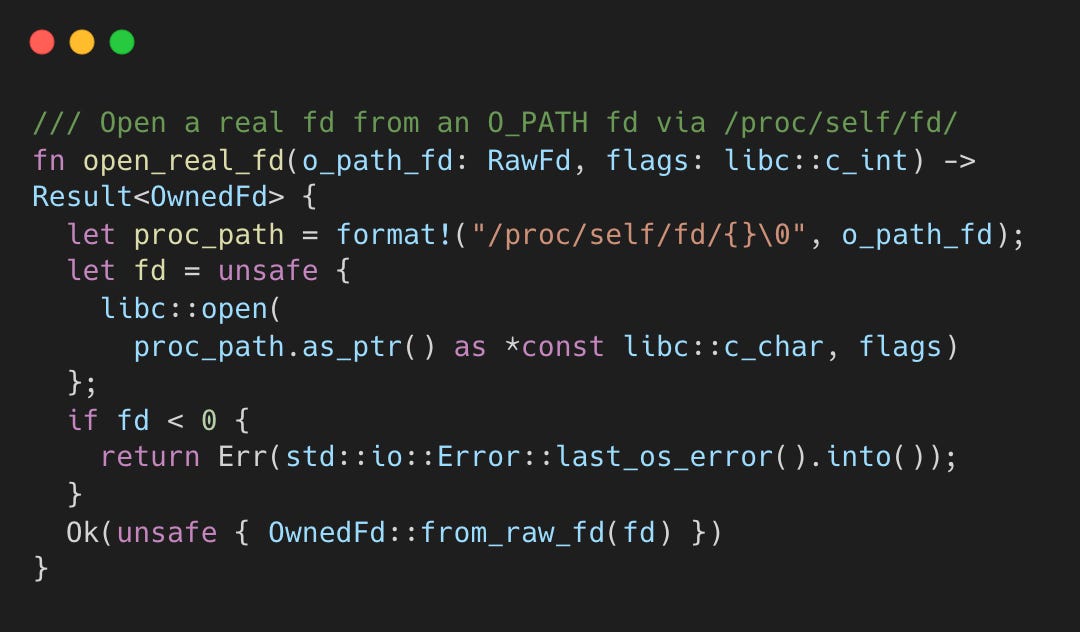
The HostFS base layer then accesses the original directory contents through /proc/self/fd/N, which resolves to the underlying filesystem, not the FUSE mount sitting on top.
Major Contributions
The project is driven by Turso, with major contributors including Pekka Enberg (@penberg)
This post was written with galleylabs.ai